
I wonder if AI might actually help us actually break away from native mobile apps for a lot of things & ‘get back to the web’?
Many modern hi-fi amplifiers have ‘an App’. They are, uniformly (from what I can see), terrible.
In this post I show how I ‘fixed this’ in under an hour using ai to do something I would never, ever have got around to doing. Given how much I listen to music, I know it’s going to save me many hours of irritation. It even left me with enough time to write this post.
Let’s start with the challenge. In the UK we spend about £600M a year on hi-fi stuff: that seems like quite a lot. And the higher-end kit costs more than your PC. However, while they ‘try and be digital’, it’s like walking back into the 1990s as a user.
Here are some screenshots from the ‘flagship’ Marantz app starting up.


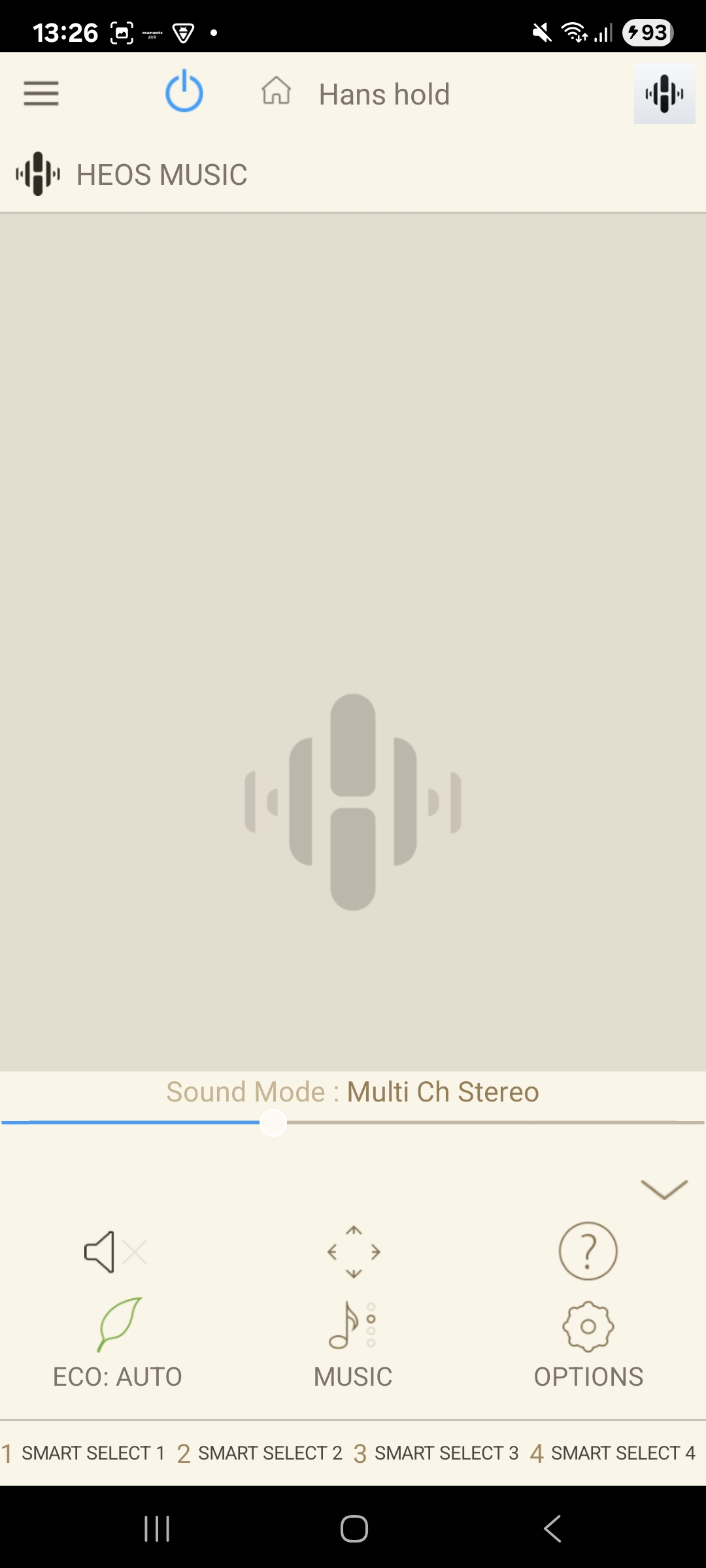
I should point out that not only is the user interface terrible (including trying to get you to sign up to their HEOS garbage) but it takes needless ages to start up and navigate. Those spinning disks spin for a long time, and then present with a page with a tiny round button for the volume and mostly meaningless other stuff that’s too small to consistently accurately tap. It’s really easy to accidentally turn the volume up a lot (which on a >3kW system can be alarming if you’re not expecting it).
Let’s say you want to turn the volume down (the #1 thing you do on an amp ‘instantly’), it can take up to 10 seconds to get there. This means you revert back to the remote control, or – heaven forbid – have to actually stand up and turn actual the volume control – there are plenty of other apps that tell us when we need to move 😉. Further, to get into any granular controls such as changing sound processing, or changing the volume on individual surround channels is painfully slow (tens of seconds to get to, seconds for each change), cumbersome and, actually just unusable. I often want to do this for specific tracks when in a proper listening session.
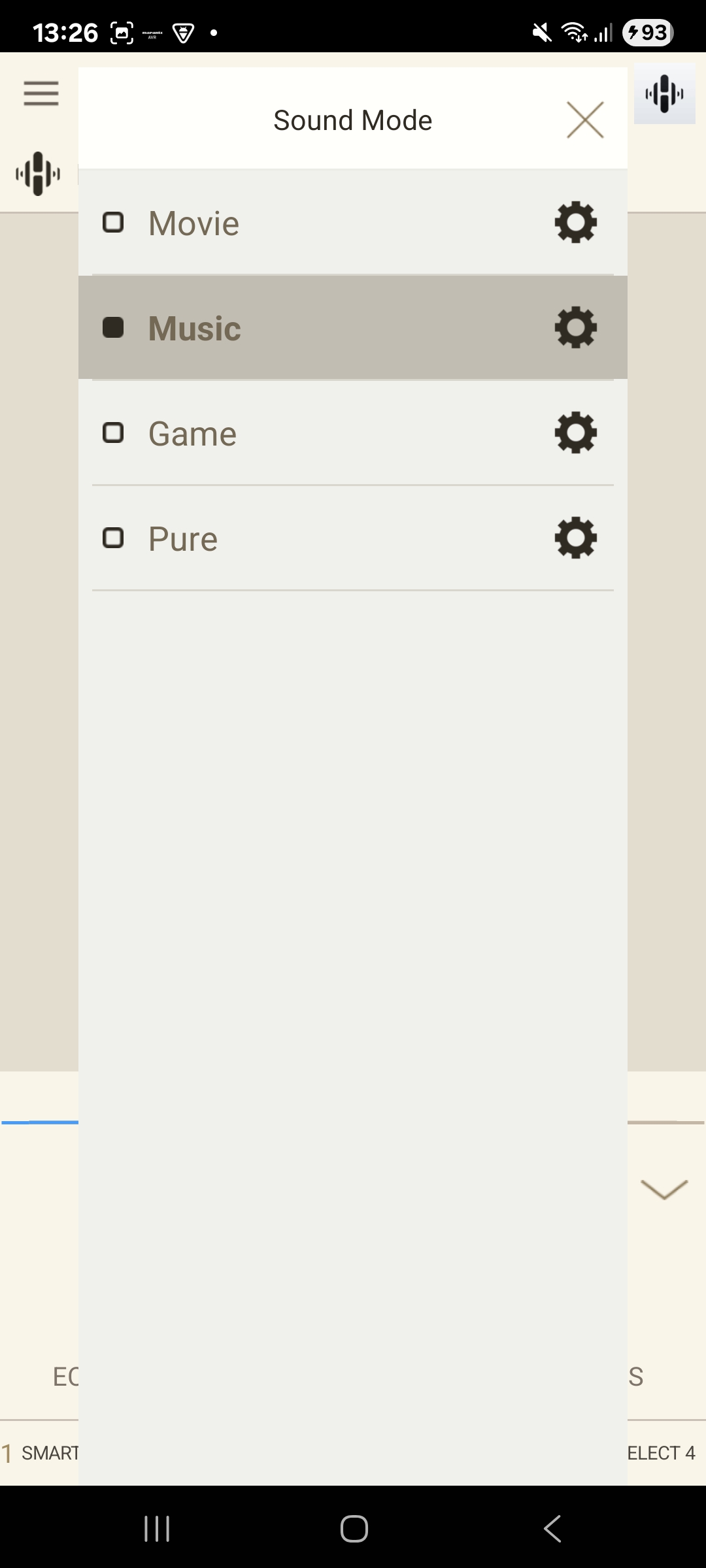
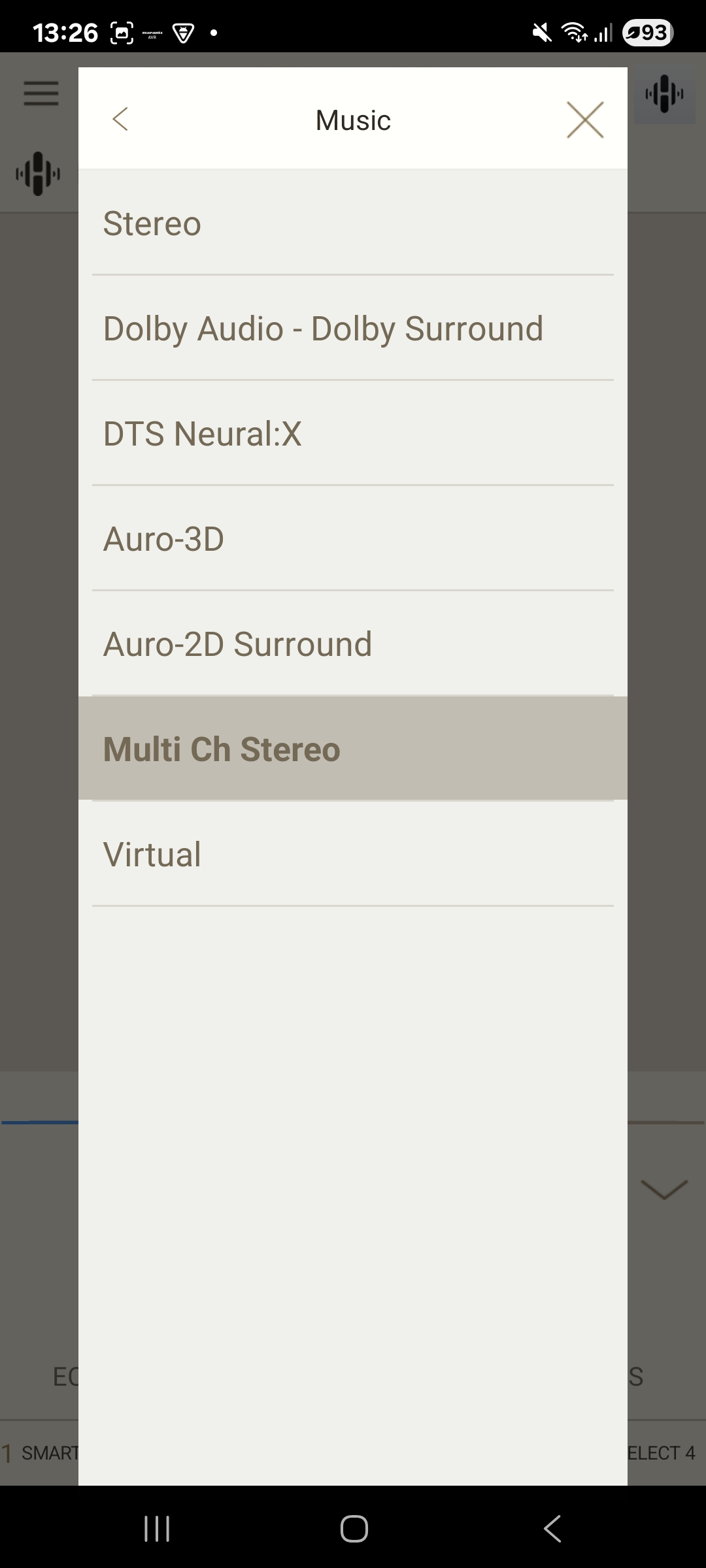
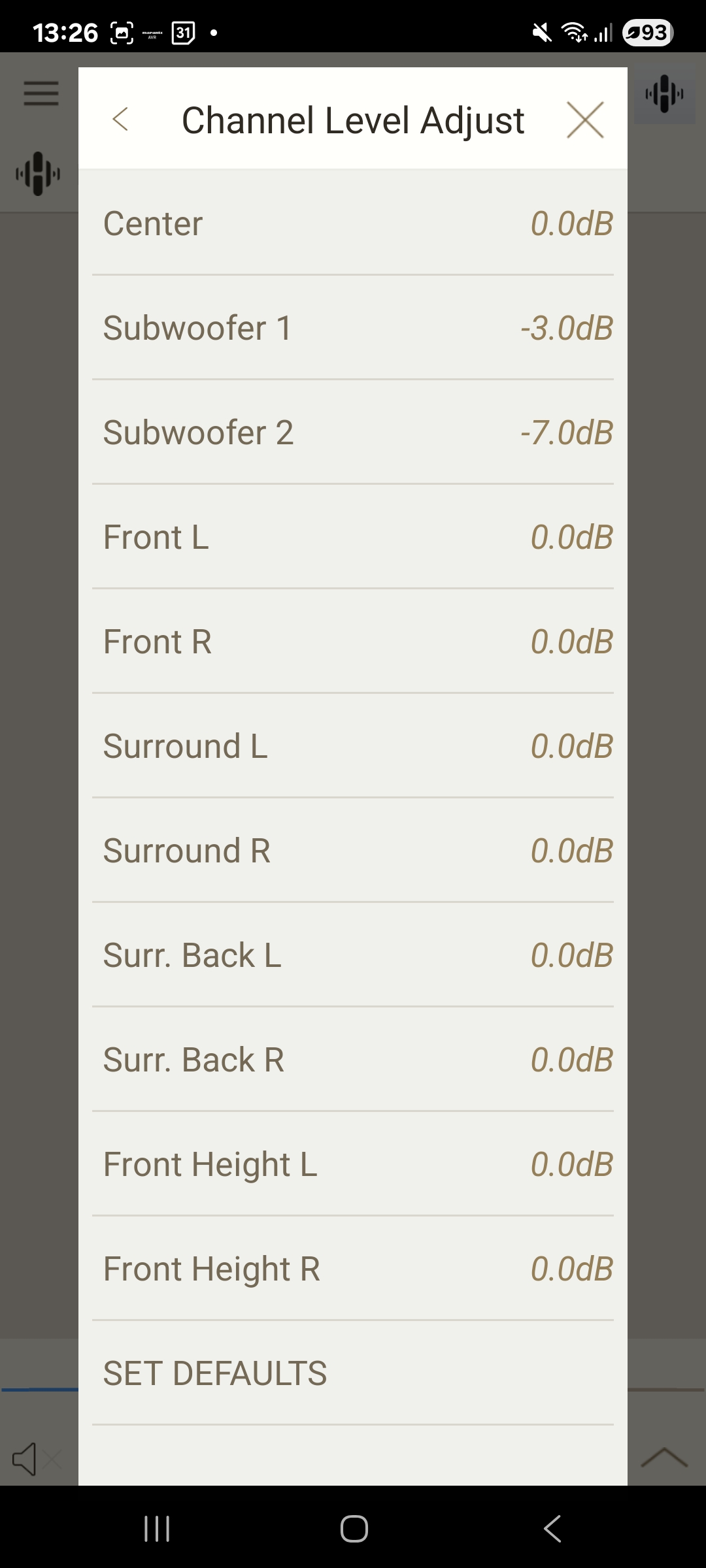
Clearly in 2026 this really isn’t good enough. Fortunately this is now something (almost) anyone can fix without waiting for manufacturers to wake up and do something.
Googling around the docs there are some API standards and I’d done some previous command-line work to pull status and push things like volume to see if it all actually worked (it did).
But now, with the wonders of AI (in this case, Claude.ai) it is almost magically trivial to make your own interface.
In this post I show how easy (and things that can be frustrating).
Let’s start with a bit of magic: I asked Claude (thinking that this wouldn’t be enough)
> develop a web interface for the Marantz SR7015 using its APIIt wasn’t just “enough”, it even styled the page with custom fonts and an image of a surround setup. To get it actually working (locally, on my Mac) I just had to give it the error I got
> it says "Cannot reach 192.168.1.46"At which point the AI created a local proxy server, told me how to install it and some supporting packages (with copy/paste instructions). If I rewind to when I used to be able to actually code, I think this would have all easily taken me a day. Instead it took this aging hacker about 30 mins of faffing around. This was it – a fully working, way better visual interface and way better user experience (it loads instantly with no noticeable latency on the controls), and individual controls, all on one screen. And, against a black background as usually listening when it’s dark (or watching a movie).
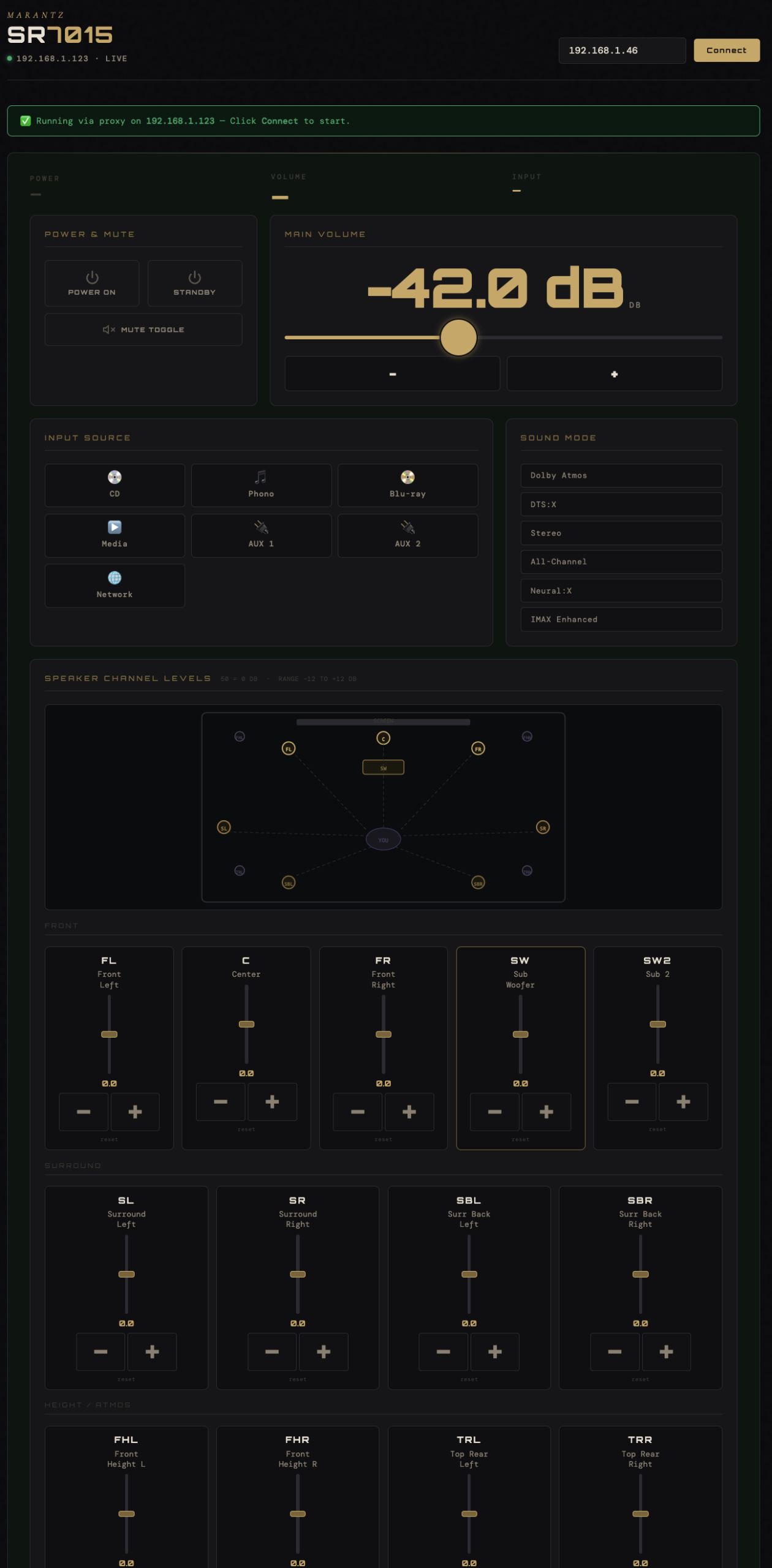
I then spent a few hours playing around with layouts to see what was possible, then asked the AI to make a version I would run on my Pi-Fi (the Raspberry Pi I have that displays album art when Spotify is playing). Which, of course, it did at a similar pace.
This means I can access a web page on my home’s wifi network on my phone, laptop or desktop – as can anyone I give the web address to who is with me. I can use it as a remote for the amplifier, not just for volume, but including controlling all the parameters I actually want to access instantly, with nice big buttons and only the things I need. It still wasn’t able to do some things (like more nuanced reading/writing of custom fields).
I then added new functionality – to pair and group left and right speakers into ‘front’, ‘surround’ so I can control the top-front-side-back distribution more easily (unless you’re a sound engineer, you’ll be surprise how much more this varies than you’d think based on the mix and type of the music).
And, finally, for now, a joystick control to move the balance around between all 11 speakers. Which was done with a single prompt:
> create a joystick control to balance the audio between all the speakers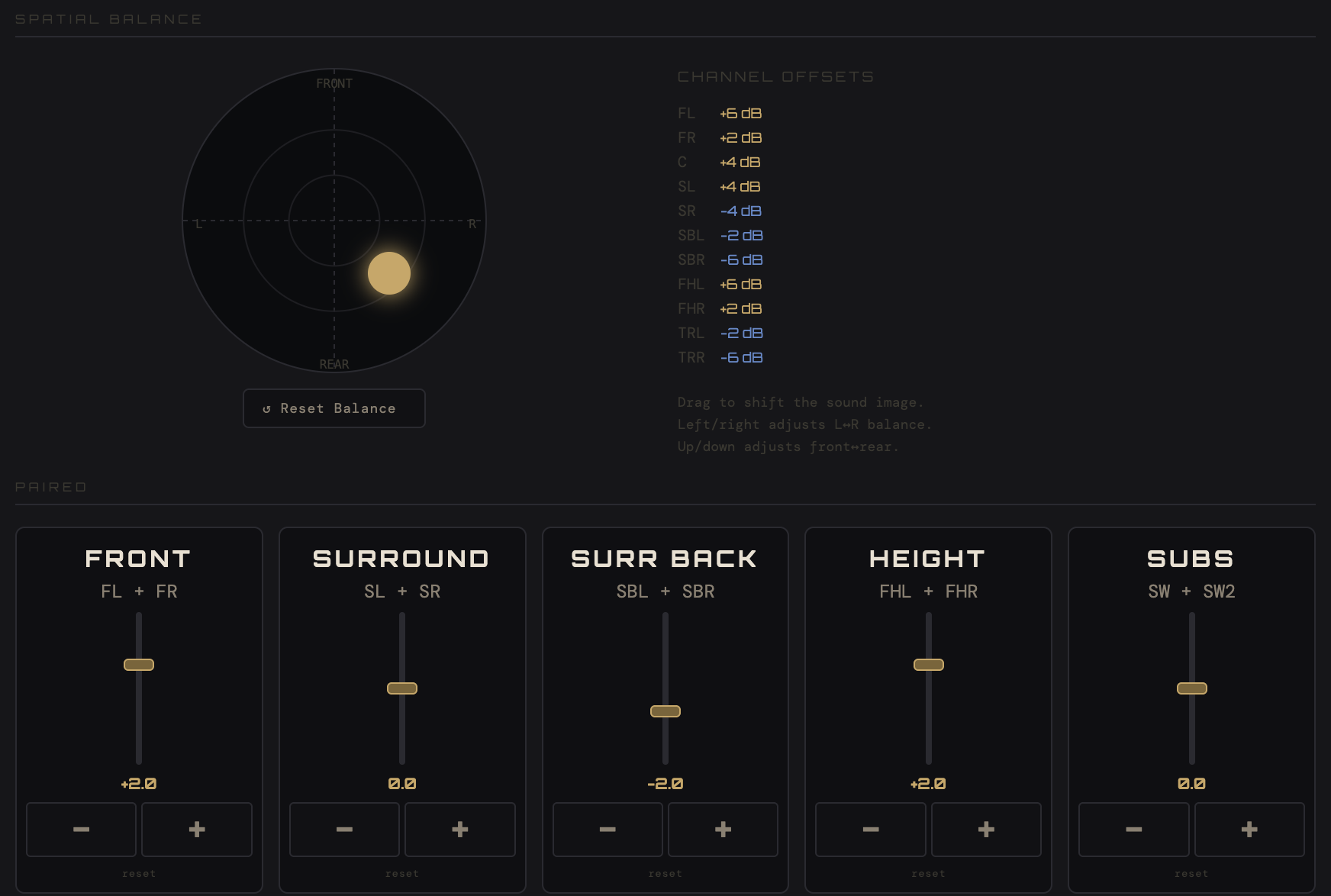
Next up I’m thinking of keying together listening room profiles per track, keyed into what’s playing on Spotify so the entire balance of the system can auto-configure based on what’s playing. This would then include custom listening profiles and sound stages I’d set up for specific favourite tracks. It’s almost as if one could take all this too far*…?
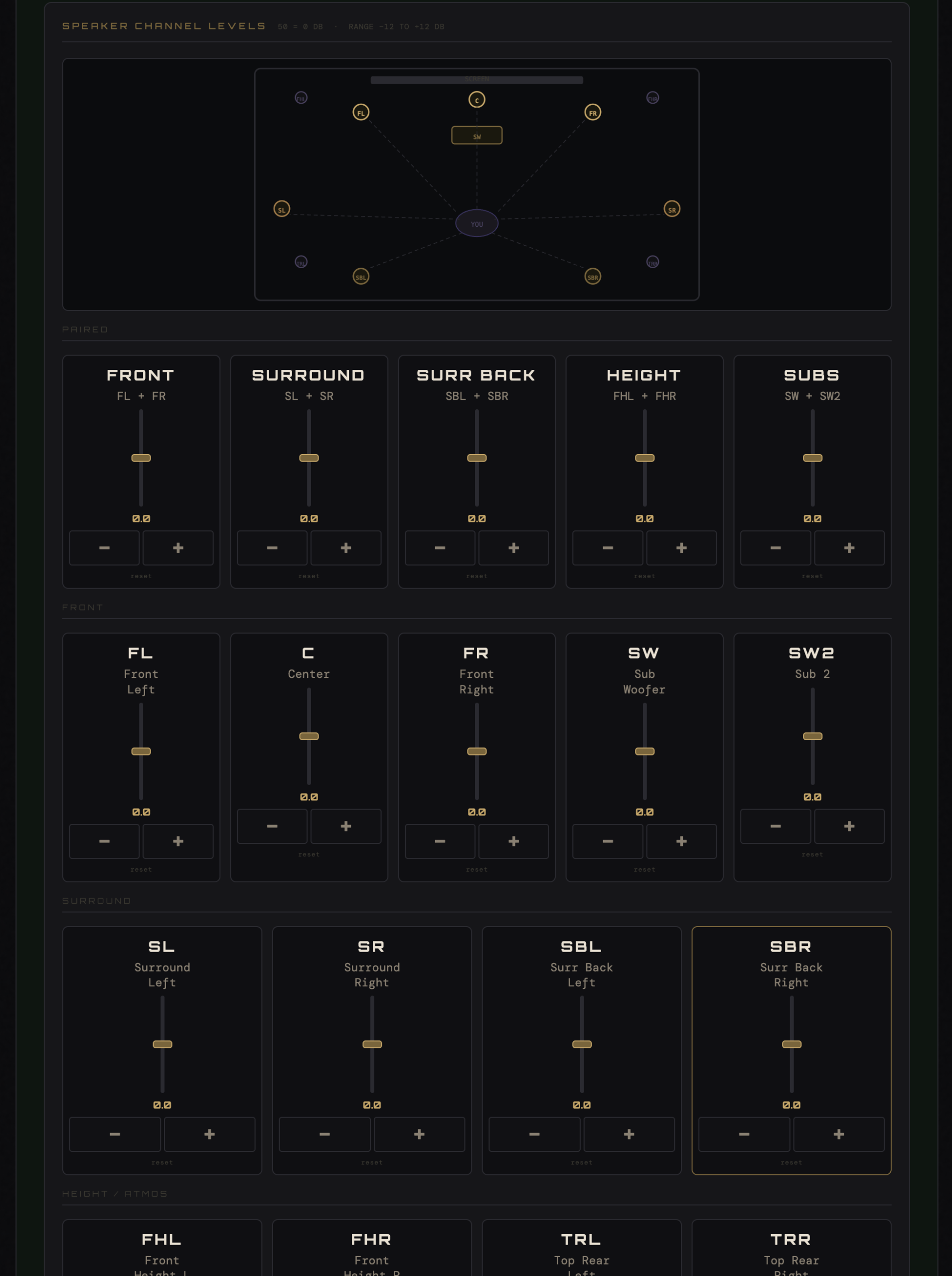
* Looking out at the hi-fi geek landscape, there is no end of completely stupid nonsense things people do (from £1,000 audiophile USB cables to ‘elevated speaker cable risers‘), none of which make a single bean of difference to anything but your wallet. Once you’ve got a basic system in place by far the biggest differences you’ll be able to actually hear are (a) treating the room with sound insulation, and/or (b) treating the distribution, balance and EQ of the signal itself in your space, which is what I’m doing here.